
Let’s count them characters for you
0 characters
- Details
- How to Use
- FAQ’s
Character limits are everywhere, from social media captions to online forms, documents, and spreadsheets. Knowing the exact character count of your text helps you avoid errors, save time, and publish content confidently. A reliable character count tool makes this process quick and accurate without manual counting.
Why Characters Count Matters
Many users want to count the characters in my sentence or check the number of characters before submitting text online. Platforms often have strict limits, and even a single extra character can cause rejection. That is why using a character counter is more effective than guessing.
Real-Time Character Tracking
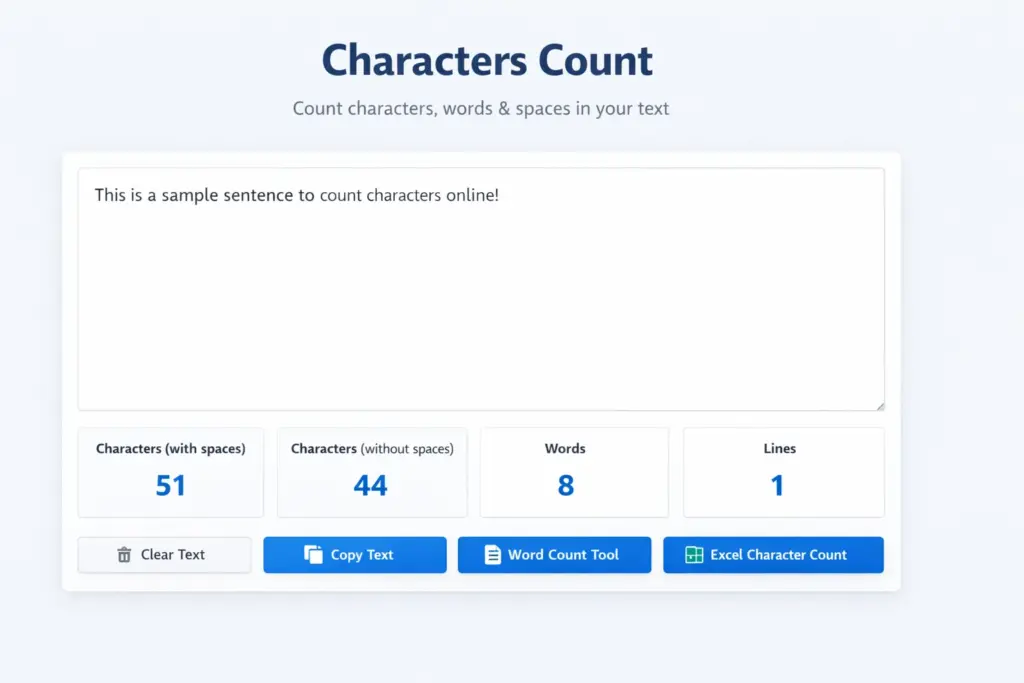
A modern type character counter updates instantly as you type or paste text. It automatically shows how many characters are present, making it easy to edit content on the spot and maintain accuracy.
Counting Characters Online Easily
If you want to calculate the number of characters online, free tools are the fastest solution. These tools allow users to count characters in a sentence, count characters in a paragraph online, and count the number of characters in large text blocks. Most character count online free tools work directly in your browser and do not require installation, making them accessible to everyone.
Characters Counter With Spaces Explained
Do Spaces Count as Characters?
In most cases, spaces are counted as characters. A reliable characters counter with spaces clearly displays totals with spaces and without spaces, helping users follow platform-specific requirements such as SMS limits or form validations.
Character Count in Word and Excel
How to Count Characters in Word
Microsoft Word includes a built-in option to view the character count in Word through the Word Count feature. This helps writers quickly determine the number of characters in their document without needing external tools.
Character Count in Excel
Many users search for counting characters in Excel or counting characters in a cell. Excel provides simple formulas to calculate text length, which is especially useful for handling structured data and reports.
Character Count Formula in Excel
Using an Excel formula, you can easily count the number of characters in a cell. This method is commonly used when validating text entries, IDs, or content length inside spreadsheets.
Character Counter Tool vs Manual Counting
A character counter tool, character count checker, removes human error and saves time. Instead of manually counting letters, users get instant results. Most tools also combine character word count and word counter features, making text analysis faster and more efficient.
When to Use a Character Count Tool Online
A character count tool online is useful when writing social media posts, filling out forms with limits, editing SEO content, working in Excel or Word documents, or checking text strings for applications and coding purposes.
Final Thoughts
A dependable character counter helps users write smarter and faster. Whether you need to count characters, check characters with or without spaces, or measure text in Word and Excel, character counting tools provide a simple and accurate solution. For anyone who works with text regularly, a character count checker is an essential everyday tool.
A word counter helps users measure text length accurately while writing articles, assignments, or online posts. It saves time, prevents exceeding limits, improves readability, and ensures content meets platform or academic requirements without manual counting.
- Open Characters Count Tool
Visit the characters count page using any browser on desktop or mobile.
- Locate Text Input Box
Find the main text area where you can type or paste content.
- Type Or Paste Text
Enter your sentence, paragraph, or full content into the input box.
- View Real-Time Character Count
See characters update instantly as you type or edit text.
- Check Characters With Spaces
Review the total character count, including spaces and punctuation.
- Check Characters Without Spaces
View the count excluding spaces if your platform requires it.
- Review Word Count Together
Check word count alongside characters for better text control.
- Edit Text To Fit Limits
Adjust content length to meet character limit requirements.
- Copy Final Text Easily
Use the copy option to save your optimized text instantly.
- Use For Forms And Posts
Apply the final text to social media, forms, or documents.
FAQs
Open your document, click Review → Word Count, and view the character total with or without spaces.
Use the formula =LEN(A1) to count characters in a cell, including spaces.
Yes, spaces are counted as characters in most tools and applications.
Go to Tools → Word count to see characters with and without spaces.
In Excel, apply the LEN function in the selected cell.
Enter =LEN(cell) to instantly calculate character length.
Select the cell and use the LEN formula for accurate results.
Use =LEN(A1)-LEN(SUBSTITUTE(A1,"x","")) to count a specific character.
Paste text into a character counter tool for instant results.
In Apple Pages, open View → Show Word Count, then enable character count in settings.